KinomePro-DL
1 Overview
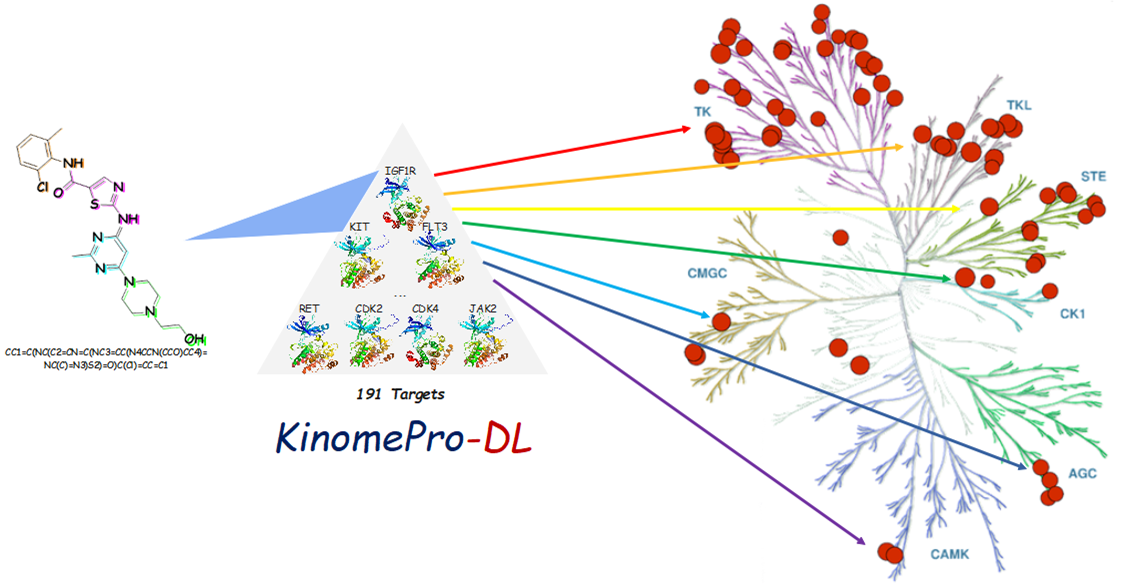
Description of the Model: Prediction the kinase activity profile of the compound
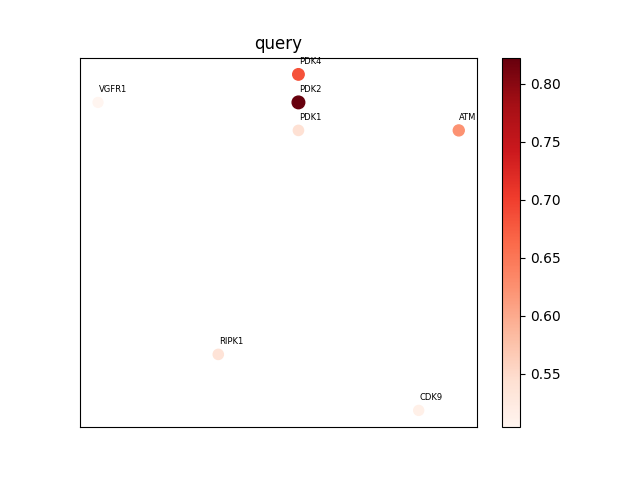
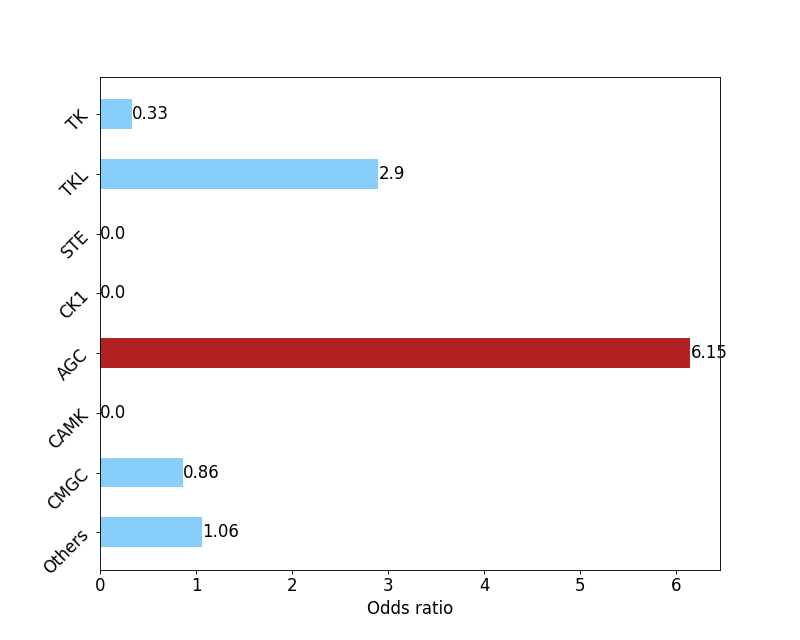
1.Kinase profile: The more red points in the map indicates that the compound potential selectivity may be worse; the less the map points indicates that the compound potential selectivity may be better.2.Odds diagram: Indicating that the compound may be a selective compound of a kinase group, the greater the odds value, the greater the selectivity of the kinase group, and vice versa.
3.Prediction result file: Value range (0-1), the greater the value, the greater the potential activity of the target, and vice versa.
4.S_score: Value range (0-1), dividing the number of all targets predicted to be active by the total number of kinase profile targets (191), the greater the value, the worse the selectivity for the kinase profile, and vice versa.
2 How to use KinomePro-DL
KinomePro-DL provide two methods of molecule submission:
1). A molecule is submitted from web server by uploading a smiles;2). Batch compounds are submitted from web server by uploading a .csv file. The file format is as follows;
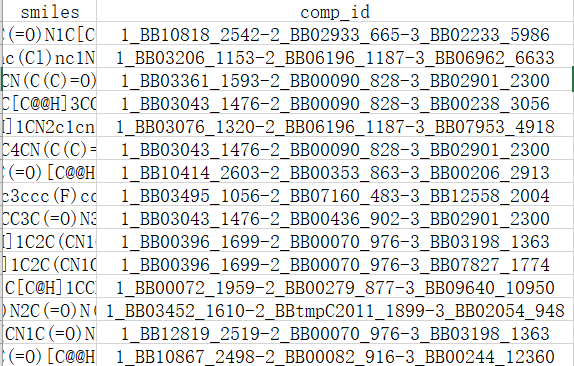
The first column is named 'smiles' and records the smiles information of the compounds, The second column is named 'comp _ id', recording the name information of the compound.
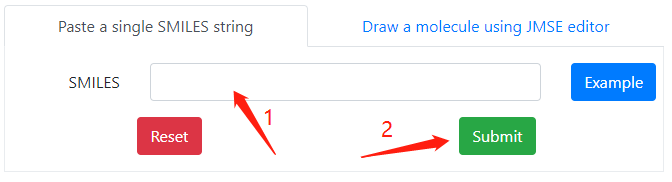
Method 1
You can paste a single SMILES string to the textbox, then click on the submit button to submit the calculation.
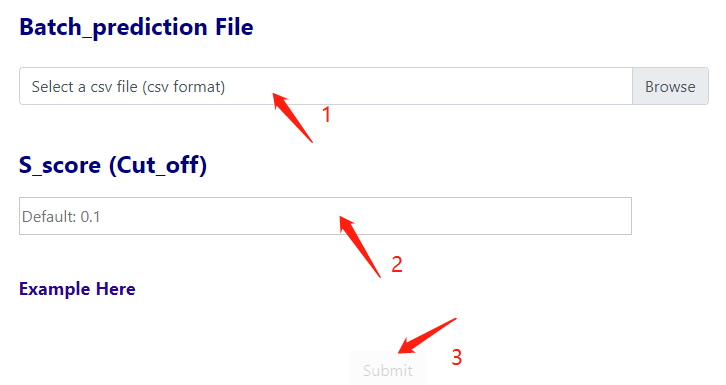
Method 2
You can submit by uploading csv files containing batch molecules, then set the S_score threshold (Default: 0.1) and click on the submit button to submit the calculation.
3 Prediction Result
In the single molecule submission mode, five figures are displayed on the result page after the calculation.
Structure
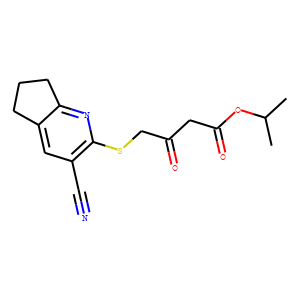
Is the structure of the submitted molecule;
Kinase Profiling
Kinase profiles of the submitted molecules predicted by the model. The more red points in the map suggest that compound potential selectivity may be poor. The fewer map points suggest that compound potential selectivity may be better.
Odds
Odds of predicted compounds, suggesting kinase family selectivity of the compounds. Indicates that the compound may be a selective compound for a class of kinases, the greater the odds of selectivity for the kinase, and vice versa.
Tsne
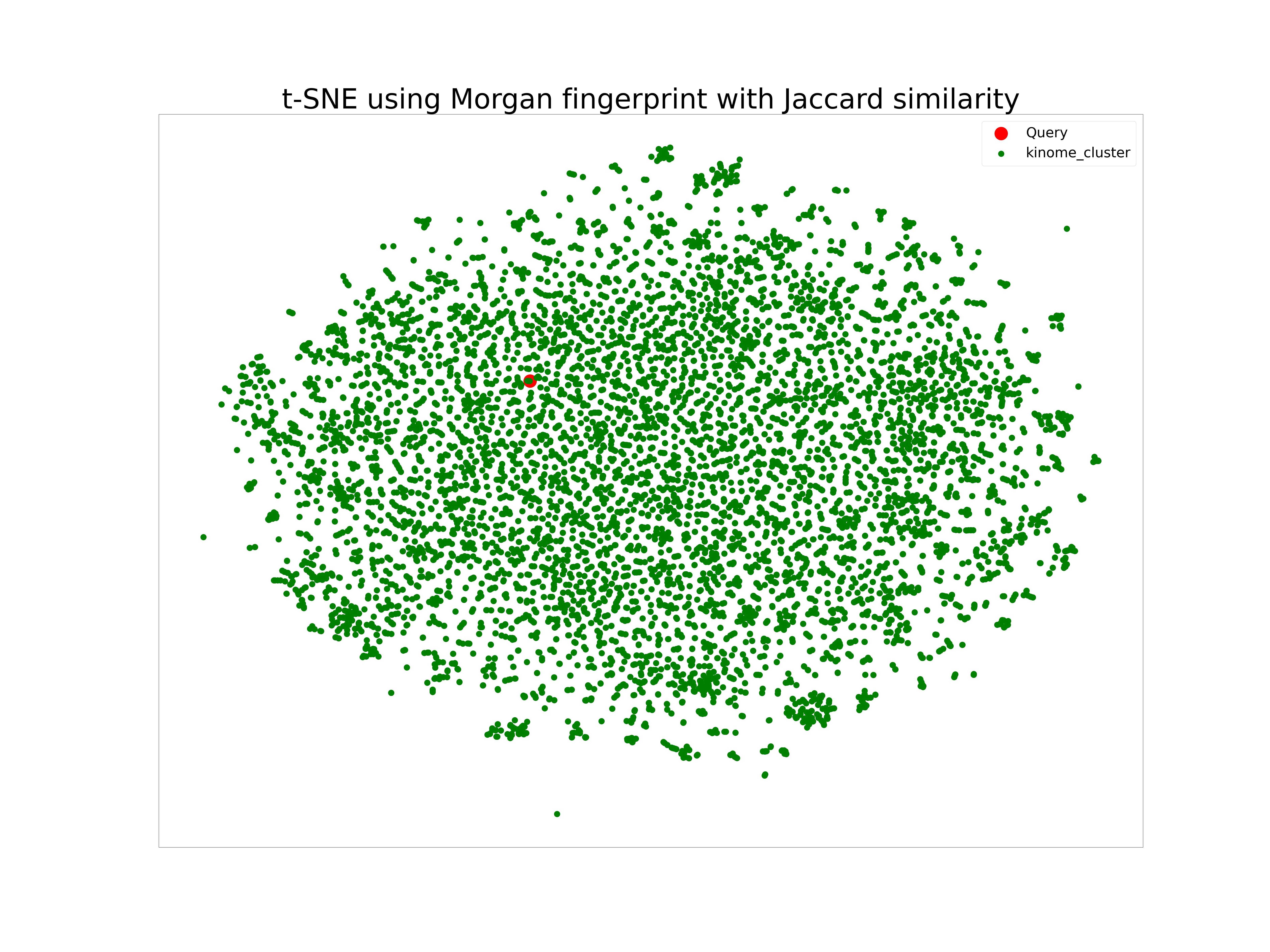
Show the 2d spatial dimension reduction results for the submitted compounds with known kinase activity.
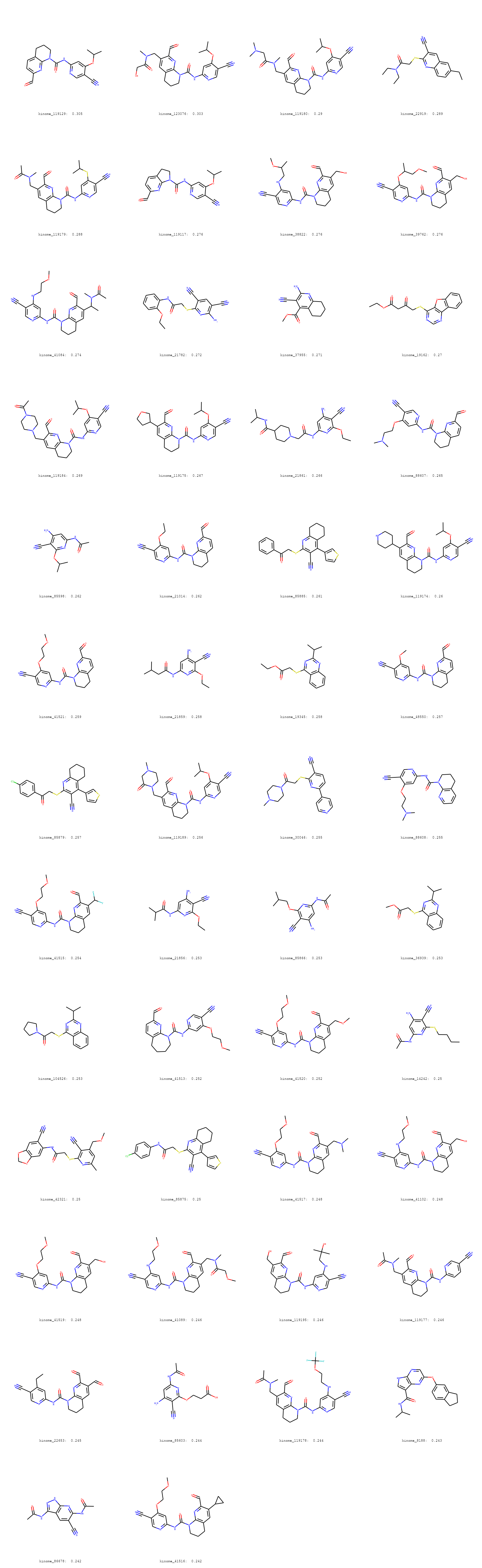
Similarity_Result
Show the reference structures of the top 50 known kinase-active compounds with the highest similarity to the submitted molecules.
4 Result Download
After the calculation, users can click on the "Download result" button in the lower right corner to download the result file.

The downloaded compressed package contains two csv files, where the csv file named after the date records the prediction information of the model on the submitted compound. The first column is the name of the corresponding kinase target, The second column is the corresponding probability predicted to be active against the specified kinase target.S_score (1 uM) records the overall kinasprofile selectivity of the model predicted for the compound.
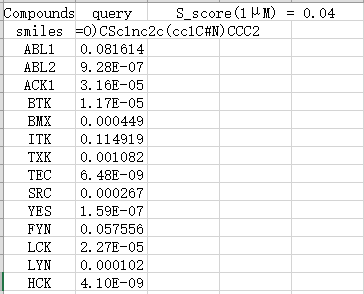
The second named ref_mols_result.csv file records information on the activity of known kinase active compounds with similarity to submitted predicted compounds greater than 0.5;This file may be empty when not matching to a compound with a similarity greater than 0.5.

5 Fine-Tuning & Finetuned_Prediction
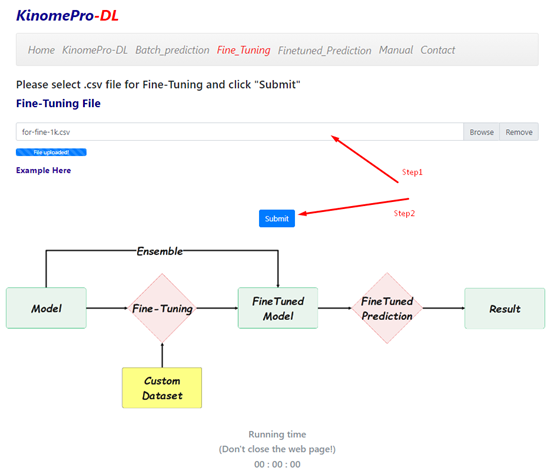
The procedure for fine-tuning the model involves first uploading the prepared training data (refer to Example for the required format), then clicking the Submit button to initiate the training process, and finally downloading the updated model parameters once the training has completed.
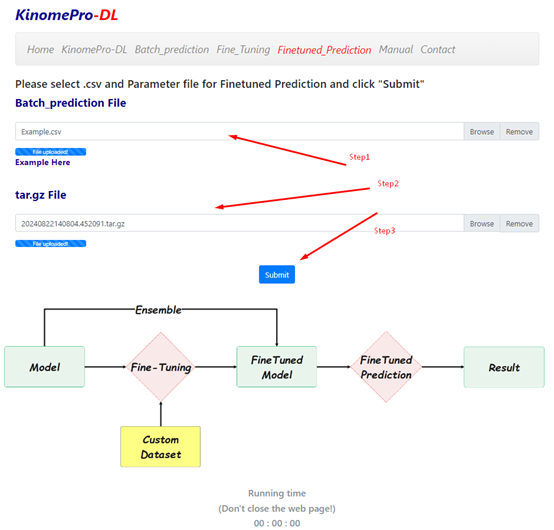
The procedure for making predictions using the fine-tuned model involves first uploading the molecules to be predicted (refer to Example for the required format), then uploading the compressed model parameter file (.tar.gz) downloaded after fine-tuning, and finally clicking the Submit button to initiate the prediction process.
6 Miscellaneous
Time consumption of a jobBasically, the calculation process (including activity calculation and graph generation) takes about five minutes. Due to computing resource limitations, jobs submitted from all users may be forced to enter the waiting list before running. Therefore, a little patience may be needed when there is a lot of work waiting to be handled.
Data storage time
On KinomePro-DL, a maximum of 7 days of the job records will be stored, so we strongly recommend users to download all of the results and figures at their suitable times.